Jimnio

  • Home
  • Services
    • API Development
    • Big Data
    • Branding Design
    • Custom Desktop Software
    • EDI Development
    • Graphic Design
    • Mobile App Development(iOS and Android)
    • Robotic Engineering
    • SEO – Google Business Listings
    • Web Development
    • Website and Cloud Hosting
    • WordPress Development and Theming
  • Online Tools
    • Email
      • Business Email
      • Personal Email
      • Email Ultimate Business
    • Email Marketing
      • Email Marketing Beginner
      • Email Marketing Pro
      • Email Marketing Up & Running
    • Online Calendar
    • SEO
      • Search Engine Optimization (SEO)
    • Website Builder
      • Website Builder Personal
      • Website Builder Business
      • Website Builder Business Plus
      • Quick Shopping Cart Economy
      • Quick Shopping Cart Deluxe
      • Quick Shopping Cart Premium
    • Website Security and Backups
      • Website Security Express
      • Website Security Essential
      • Website Security Deluxe
      • Website Backup 5 GB
      • Website Backup 25 GB
      • Website Backup 50 GB
  • Portfolio
  • Customers
    • Sign In
    • Create Account
  • Contact Us
  • About
  • Inspirations

Jimnio

  • Home
  • Services
    • API Development
    • Big Data
    • Branding Design
    • Custom Desktop Software
    • EDI Development
    • Graphic Design
    • Mobile App Development(iOS and Android)
    • Robotic Engineering
    • SEO – Google Business Listings
    • Web Development
    • Website and Cloud Hosting
    • WordPress Development and Theming
  • Online Tools
    • Email
      • Business Email
      • Personal Email
      • Email Ultimate Business
    • Email Marketing
      • Email Marketing Beginner
      • Email Marketing Pro
      • Email Marketing Up & Running
    • Online Calendar
    • SEO
      • Search Engine Optimization (SEO)
    • Website Builder
      • Website Builder Personal
      • Website Builder Business
      • Website Builder Business Plus
      • Quick Shopping Cart Economy
      • Quick Shopping Cart Deluxe
      • Quick Shopping Cart Premium
    • Website Security and Backups
      • Website Security Express
      • Website Security Essential
      • Website Security Deluxe
      • Website Backup 5 GB
      • Website Backup 25 GB
      • Website Backup 50 GB
  • Portfolio
  • Customers
    • Sign In
    • Create Account
  • Contact Us
  • About
  • Inspirations
Coding
Home Archive by Category "Coding"

Category: Coding

November 4, 2026
appsCodingNews

Jimnio Launches Shakey Network: AI-Verifiable Secure Channels

Jimnio, LLC has launched Shakey Network — an AI-verifiable secure channel protocol built for environments where classical verification alone is not enough.

Shakey Network is now publicly described and available for evaluation through Jimnio’s official channel pages, with version 0.9.0 as the current release line for early testers, research partners, and lab deployments.

What is Shakey Network?

Shakey Network is a next-generation communications concept from Jimnio. Instead of relying only on traditional transport assumptions, Shakey is designed around a different idea:

  • Network packets can be intentionally “shakey” (noisy)
  • Classical verification may fail under that noise
  • A dedicated AI verification model — Max — can still recover and validate legitimate traffic

The result is a channel model aimed at research, controlled access, and privacy-sensitive networking experiments — not a casual drop-in replacement for everyday HTTPS everywhere.

Official overview: jimnio.com/shakey-network

What makes it different

CapabilityWhat it means
AI verification pathMax scores and accepts frames that classical checks may reject
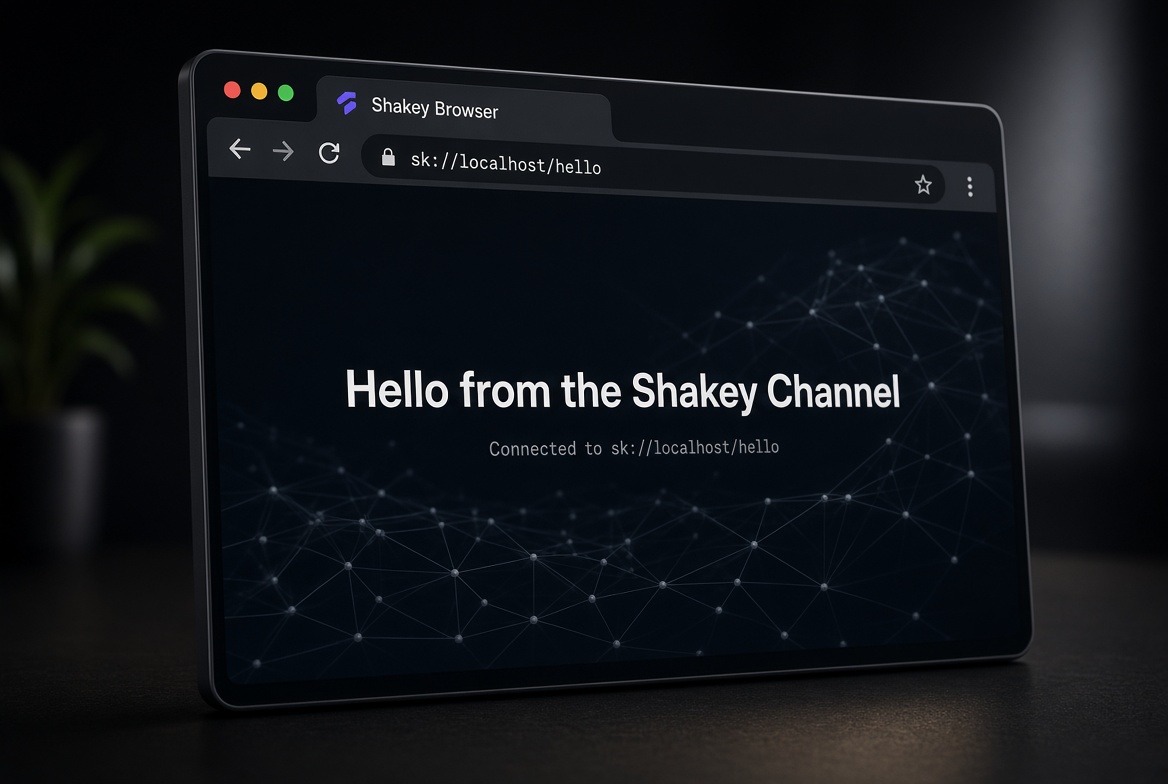
sk:// channelsCustom scheme for Shakey-aware clients and browsers
Trust-amplified sessionsHuman interaction and success signals can shape session confidence
Desktop + hosted nodesRun locally in a lab or deploy on a cloud/Node.js endpoint
License-aware networkingOptional policy, activation, and admin controls for structured programs

Meet Max: Shakey’s verification model

Max is Shakey Network’s dedicated verification model. It is not a public chatbot and is not offered as a general-purpose AI API.

Max’s role is specific:

  • Evaluate whether traffic still looks like a legitimate Shakey channel under uncertainty
  • Support trust-aware sessions
  • Work with optional human-presence signals when users enable them

Max can run on a local desktop node, on hosted nodes, and alongside operator tooling used to monitor sense and trust readouts while a node is online.

Public materials describe outcomes and architecture at a high level. Internal scoring methods and proprietary verification details remain part of Jimnio’s protected technology. Shakey Network is patent pending.

Who Shakey Network is for

The launch targets groups that need more than a standard encrypted pipe:

  • University labs and research groups
  • Closed beta testers and early partners
  • Teams exploring AI-native transport security
  • Privacy-sensitive experiments in controlled networks

If your work depends on evaluating new channel models, controlled access, or AI-assisted verification under noisy conditions, Shakey is built for that lane.

How it fits with HTTPS / TLS

TLS remains the standard for open-web encryption and certificate identity. Shakey does not ask the world to throw that away.

Instead, it explores an additional idea: channel acceptance can also depend on AI verification and session trust — not only a one-time cryptographic handshake. Jimnio positions Shakey as evaluation software for research and structured testing, not as a blanket replacement for production HTTPS across the public internet.

Current release status

Shakey Network is under active development.

  • Latest public version line: 0.9.0
  • Status: Patent pending
  • Distribution: Version metadata and release packages are published on the official versions channel

Versions and downloads:
jimnio.com/shakey-network/versions.html

Support, install questions, licensing, and tester feedback:
jimnio.com/shakey-network/support.html

What launching means today

With this launch, Jimnio is opening the public-facing layer of Shakey Network so researchers, partners, and early testers can:

  1. Review the concept and positioning
  2. Inspect the current version channel
  3. Evaluate desktop and hosted node options
  4. Submit support requests and structured feedback

This is the beginning of a broader evaluation phase — not the end of the roadmap.

About Jimnio

Jimnio, LLC builds software, security-minded systems, and advanced technical projects that sit at the intersection of practical engineering and emerging network ideas. Shakey Network extends that work into AI-verifiable communications.

Get started

  • Overview: Shakey Network home
  • Versions / downloads: Version channel
  • Support & reviews: Support page

Secure channels that verify signal in the noise — now open for evaluation.

Learn More


admin 0 Comments
November 4, 2026
CodingNews

PHP2Shell Explained: The Critical PHP Bugs Hackers Are Actively Exploiting

PHP2Shell is the name given to two critical vulnerabilities in the PHP language itself — CVE-2026-109618 and CVE-2026-109619. In late October 2026, the U.S. Cybersecurity and Infrastructure Security Agency (CISA) confirmed that attackers are actively exploiting them and ordered federal civilian agencies to fix affected systems within three days.

If your website or application runs on PHP, this is not a theoretical issue. It is a patch-now event.

What is PHP2Shell?

PHP2Shell is not a WordPress plugin bug or a single CMS flaw. It is a pair of memory-safety issues inside the PHP runtime — the engine that executes PHP code for a large share of the web.

According to public reporting and vendor advisories:

  • CVE-2026-109618 — Remote code execution via out-of-memory (OOM) corruption. When PHP aborts a request after a memory limit failure at the wrong moment, request memory can be left in an invalid state that later enables code execution.
  • CVE-2026-109619 — Remote code execution via stale global state. A PHP worker can retain internal state from one request that is reused unsafely on a later request, creating a use-after-free condition.

Both issues are rated critical (around CVSS 9.2 on CVSS v4.0). Importantly, exploitation does not require a valid login. An unauthenticated attacker who can reach a vulnerable PHP web service may be able to run code on the server.

PHP is estimated to power a large majority of sites where the server-side language is known. That scale is why this disclosure caused emergency maintenance windows across hosting providers, governments, and large organizations.

Why this became an emergency

Parts of these weaknesses had been known or discussed in research circles earlier, but they were widely treated as difficult or impractical to exploit. That changed in 2026 when researchers — including work associated with security firm Calif and others, with AI assistance reported in coverage — demonstrated practical exploitation paths.

Key timeline points reported publicly:

  • October 21, 2026 — PHP released emergency fixed versions.
  • Shortly after disclosure — Exploitation attempts and research honeypot evidence increased.
  • October 26, 2026 — CISA added both CVEs to its Known Exploited Vulnerabilities (KEV) catalog and set a short remediation deadline for federal civilian agencies.

TechCrunch and other outlets reported that CISA’s warning confirmed active exploitation and raised urgency for organizations still running unpatched PHP.

Who is affected?

Any service that uses PHP to handle web requests can be in scope, including:

  • Apache with mod_php (often called out as especially high risk)
  • PHP-FPM
  • php-cgi
  • Other PHP SAPIs used to serve websites and APIs

That includes WordPress sites, Laravel apps, Drupal, custom PHP applications, and many hosted control panels or appliances that embed PHP.

Being on “the latest WordPress” is not enough if the underlying PHP engine is still vulnerable.

Fixed PHP versions

The PHP project shipped fixes in these releases:

PHP branchFixed release
PHP 8.58.5.12
PHP 8.48.4.27
PHP 8.38.3.36
PHP 8.28.2.35

Older branches (including PHP 8.1 and earlier) are end-of-life. Some vendors and the PHP project discussed or issued limited source backports for older lines, but the reliable path is to move onto a supported, patched 8.2+ release.

What you need to do right now

1. Check your PHP version

On the server:

php -v

Or check your host’s control panel / site health tools. If you are below the fixed releases listed above, assume you need action.

2. Patch PHP

  • Upgrade to a fixed version: 8.5.12, 8.4.27, 8.3.36, or 8.2.35 (or newer security releases in those branches).
  • Restart all PHP workers / PHP-FPM pools / Apache after the upgrade so old processes are not still serving traffic.
  • If you use a managed host (cPanel, Cloudways, WP Engine, SiteGround, etc.), confirm they have deployed the patched runtime to your account.

3. Do not stop at the CMS layer

Update WordPress, plugins, and themes as usual — but understand that PHP2Shell is fixed in the PHP engine, not by a WordPress plugin update alone.

4. If you cannot patch immediately

  • Reduce exposure: restrict admin interfaces, put vulnerable apps behind VPN or IP allow-lists where possible.
  • Ask your host whether emergency mitigations or WAF rules are in place.
  • Prioritize internet-facing production systems first.
  • Plan an urgent upgrade path off end-of-life PHP.

Temporary mitigations are not a substitute for the official patch.

5. Check for compromise

Because CISA listed these as known exploited vulnerabilities, treat patching as necessary but not always sufficient. After upgrading:

  • Review access logs around late October 2026 for unusual requests.
  • Look for unexpected admin users, scheduled tasks/cron jobs, or modified core files.
  • Scan for webshells and unknown PHP files in uploads and cache directories.
  • Rotate credentials if you see signs of intrusion (CMS admin, hosting, database, SFTP/SSH, API keys).

Practical guidance for WordPress and small business sites

  1. Confirm the PHP version your site actually runs in production.
  2. Upgrade to a patched PHP 8.2+ release through your host.
  3. Restart services / confirm the new version is live.
  4. Remove abandoned plugins and keep the rest updated.
  5. Keep backups offline or off the web root.
  6. Monitor the site for unfamiliar admin activity after patching.

If your host still forces an old PHP branch, contact support and escalate. Running unpatched PHP on a public website is an active risk while exploitation is confirmed.

Why this matters beyond one patch cycle

PHP2Shell is also a reminder of deeper industry issues:

  • Critical internet infrastructure still depends on under-funded open-source projects.
  • Bugs once dismissed as “hard to exploit” can become practical when research methods improve — including AI-assisted analysis.
  • Organizations that delay runtime upgrades accumulate silent risk until a CISA-level event forces emergency work.

The operational lesson is straightforward: keep PHP on a supported branch, apply security releases quickly, and treat the language runtime as part of your security perimeter — not just an invisible server setting.

Bottom line

PHP2Shell (CVE-2026-109618 and CVE-2026-109619) allows unauthenticated remote code execution against vulnerable PHP web servers. CISA has confirmed exploitation. The fix is to upgrade to a patched PHP release — 8.5.12, 8.4.27, 8.3.36, or 8.2.35 — restart PHP workers, and verify your systems were not already compromised.

If you maintain client sites, check every host and every environment. The sites that get burned are usually the ones still sitting one version behind.


Sources for public reporting and advisories include CISA KEV updates, PHP security releases, and coverage from outlets such as TechCrunch on active exploitation of these critical PHP bugs.

Learn More

admin 0 Comments
November 4, 2026
CodingNews

PHP Vulnerabilities: What Was Found, Why It Matters, and How to Fix Them

A practical guide to common PHP security issues — outdated runtimes, injection flaws, unsafe file handling, vulnerable plugins, and the steps teams should take to fix and harden PHP applications. Continue Reading PHP Vulnerabilities: What Was Found, Why It Matters, and How to Fix Them

Learn More

admin 0 Comments
April 2, 2020
CodingNewsUncategorized

COVID-19 Javascript Charts REST API Demo

Learn More

admin 1 Comment
February 20, 2020
CodingNews

Best Codeigniter 4 Sitemap Generator

The code samples below will give you the best Codeigniter Generating Software.

application/config/routes.php

 | Examples:    my-controller/index -> my_controller/index
 |        my-controller/my-method -> my_controller/my_method
 */
 $route['default_controller'] = 'welcome';
 $route['404_override'] = '';
 $route['translate_uri_dashes'] = FALSE;
 $route['sitemap.xml'] = "Sitemap/index";

application/controllers/Sitemap.php

Updated now with CI 4

<?php
//defined('BASEPATH') OR exit('No direct script access allowed');CI3Version
namespace App\Controllers;

class Sitemap extends CI_Controller {
protected $table_name = 'login_attempts';
protected $db;
protected $builder;
public function index() {
//$this->load->database(); CI3 Version
$this->db = \Config\Database::connect();
$this->builder = $this->db->table($this->table_name);
$data['pages'] = $this->builder->get()->getResultArray();
//$data['pages'] = $query->result(); CI3 version
//$$query = $this->db->get("locations"); CI3 version
//$this->load->view('sitemap', $data); CI3 Version
return view('sitemap', $data);
}
}

application/views/sitemap.php

<html xmlns="http://www.w3.org/1999/xhtml" xmlns:html="http://www.w3.org/TR/REC-html40" xmlns:image="http://www.google.com/schemas/sitemap-image/1.1" xmlns:sitemap="http://www.sitemaps.org/schemas/sitemap/0.9">
    <head>
        <title>XML Sitemap</title>
        <meta http-equiv="Content-Type" content="text/html; charset=utf-8">
        <style type="text/css">
				body {
					font-family: Helvetica, Arial, sans-serif;
					font-size: 13px;
					color: #545353;
				}
				table {
					border: none;
					border-collapse: collapse;
				}
				#sitemap tr:nth-child(odd) td {
					background-color: #eee !important;
				}
				#sitemap tbody tr:hover td {
					background-color: #ccc;
				}
				#sitemap tbody tr:hover td, #sitemap tbody tr:hover td a {
					color: #000;
				}
				#content {
					margin: 0 auto;
					width: 1000px;
				}
				.expl {
					margin: 18px 3px;
					line-height: 1.2em;
				}
				.expl a {
					color: #da3114;
					font-weight: 600;
				}
				.expl a:visited {
					color: #da3114;
				}
				a {
					color: #000;
					text-decoration: none;
				}
				a:visited {
					color: #777;
				}
				a:hover {
					text-decoration: underline;
				}
				td {
					font-size:11px;
				}
				th {
					text-align:left;
					padding-right:30px;
					font-size:11px;
				}
				thead th {
					border-bottom: 1px solid #000;
				}
			</style>
		</head>
		<body>
		    <div id="content">
		        <h1>XML Sitemap</h1>
		        <p class="expl">
				Generated by <a href="https:jimnio.com" target="_blank" rel="noopener noreferrer">Jimnio SEO</a>, this is an XML Sitemap, meant for consumption by search engines.<br><br>
				You can find more information about XML sitemaps on <a href="http://sitemaps.org" target="_blank" rel="noopener noreferrer">sitemaps.org</a>.
			    </p>
			    <p class="expl">
					This XML Sitemap Index file contains 19 sitemaps.
				</p>
				<table id="sitemap" cellpadding="3">
				    <thead>
				        <tr>
				            <th width="75%">Sitemap</th>
				            <th width="25%">Last Modified</th>
				        </tr>
				        </thead>
				        <tbody>
				            <?php foreach($items as $item) { ?>
                            <tr>
                                <td>
                                    <a href="<?php echo base_url()."page/".$item->locationname ?>"><?php echo base_url()."page/".$item->locationname ?></a>
                                </td>
                                <td>2020-02-10 02:37 +00:00</td>
                            </tr>
                            <?php } ?>
				        </tbody>
				</table>
			</div>
		</body>
	</html>
Learn More

admin 2 Comments
December 29, 2019
CodingNewsUncategorized

NPM Fitness Macros Calculator

[wgl_button button_text=”NPM” css_animation=”bounceInLeft” size=”s” align=”right” link=”url:https%3A%2F%2Fwww.npmjs.com%2Fpackage%2Ffitness-macros-calculator|||”]
[wgl_button button_text=”Github” css_animation=”bounceInRight” size=”s” link=”url:https%3A%2F%2Fgithub.com%2Fderfmilo%2Ffitness-macros-calculator|||”]

Created in 2017 a NodeJS NPM module to use the Mifflin Fitness Macros into a return value.

You can find the NPM link in the buttons above or use npm to install with terminal/NodeJs and NPM:

Run in terminal

npm i fitness-macros-calculator

Test values

var mifflin = require("fitness-macros-calculator"); 
var sum = mifflin.macros({weight: 132,height:{ft:6,in:1},birthday:481834906});

The test will return

return value =  { 
     carbs : { weightloss : '137.0', weightmaintain : '218.0', weightgain : '259.0' }, 
     calories : { weightloss : 1291.44, weightmaintain : 1547.0375, weightgain : 1668.1100000000001 }, 
     fat : '36.0', protein : '103' }

Learn More

admin 0 Comments
February 25, 2017
Coding

Is Your Company Growing?

Here at Jimnio, there is one thing we think of first. Can Software or Site we are developing handle going Viral or an Uptick?

With this in mind we offer tactics know as load balancing for online resources with Secondary DNS and multiple others if needed.

This requires Database Replication between servers unless you pull from one DB on both sites but it still needs to be replicated in case a rack in a data-center goes completely down.

If you have concerns that sells might be lost due to frequent outages with you hosting company contact us and we  can setup you current system with the tools and plan you need to stay up and running.

Learn More

admin 0 Comments
February 25, 2017
Coding

2016/2017 ONLINE/INTERACTIVE SILVER ADDY AWARD

Jimnio won Silver for Online/Interactive Website/Consumer

Learn More

admin 0 Comments
May 11, 2016
CodingUncategorized

HaloLens Wave Information

On February 29th, Microsoft announced the details of the HoloLens Development Edition. With the announcement, we got our first look at specs, documentation, and a shipping date of March 30th. And even more information has come in since then about a number of apps and games which will be available from the start.

But some have been left wondering about the specific mechanics of invitations and shipping. An admin on the Windows Holographic Developer Forum has clarified how it will work, informing developers they will be invited to purchase in waves. According to the information in the admin’s post here are some quick steps developers should be aware of:

Apply for the HoloLens Development Edition.
Check for an email indicating the status of your application.
Upon approval, the email will indicate your wave number.
Each wave will be served during a 2-3 month window.
When your wave is up you will receive an email inviting you to order your HoloLens Development Edition
The admin also suggests you order your HoloLens within one week of receiving your invitation to order. After that week is up you can still place your order but it will be subject to availability.

Finally, those that are hoping to be in the first wave, but are anxious about not getting their invitation email yet, don’t worry. The admin says most developers who will be part of the first wave have not yet received their invitations. And if you are worried you missed an update about your order status, you can always check the registration website here.

It won’t be long before the HoloLens Development Edition is in the hands of a wider set of developers who will start experimenting with the holographic side of the Windows 10 ecosystem.

Learn More

admin 0 Comments
April 8, 2016
Coding

CSS3 Animations

This is an experimental technology

Because this technology’s specification has not stabilized, check the compatibility table for the proper prefixes to use in various browsers. Also note that the syntax and behavior of an experimental technology is subject to change in future versions of browsers as the spec changes.

CSS animations make it possible to animate transitions from one CSS style configuration to another. Animations consist of two components, a style describing the CSS animation and a set of keyframes that indicate the start and end states of the animation’s style, as well as possible intermediate waypoints.

There are three key advantages to CSS animations over traditional script-driven animation techniques:

  1. They’re easy to use for simple animations; you can create them without even having to know JavaScript.
  2. The animations run well, even under moderate system load. Simple animations can often perform poorly in JavaScript (unless they’re well made). The rendering engine can use frame-skipping and other techniques to keep the performance as smooth as possible.
  3. Letting the browser control the animation sequence lets the browser optimize performance and efficiency by, for example, reducing the update frequency of animations running in tabs that aren’t currently visible.

Configuring the animation

To create a CSS animation sequence, you style the element you want to animate with the animation property or its sub-properties. This lets you configure the timing, duration,  and other details of how the animation sequence should progress. This does not configure the actual appearance of the animation, which is done using the @keyframes at-rule as described in Defining the animation sequence using keyframes below.

The sub-properties of the animation property are:

animation-delay
Configures the delay between the time the element is loaded and the beginning of the animation sequence.
animation-direction
Configures whether or not the animation should alternate direction on each run through the sequence or reset to the start point and repeat itself.
animation-duration
Configures the length of time that an animation should take to complete one cycle.
animation-iteration-count
Configures the number of times the animation should repeat; you can specify infinite to repeat the animation indefinitely.
animation-name
Specifies the name of the @keyframes at-rule describing the animation’s keyframes.
animation-play-state
Lets you pause and resume the animation sequence.
animation-timing-function
Configures the timing of the animation; that is, how the animation transitions through keyframes, by establishing acceleration curves.
animation-fill-mode
Configures what values are applied by the animation before and after it is executing.

Defining the animation sequence using keyframes

Once you’ve configured the animation’s timing, you need to define the appearance of the animation. This is done by establishing two or more keyframes using the @keyframes at-rule. Each keyframe describes how the animated element should render at a given time during the animation sequence.

Since the timing of the animation is defined in the CSS style that configures the animation, keyframes use a percentage to indicate the time during the animation sequence at which they take place. 0% indicates the first moment of the animation sequence, while 100% indicates the final state of the animation. Because these two times are so important, they have special aliases: from and to. Both are optional. If from/0% or to/100% is not specified, the browser starts or finishes the animation using the computed values of all attributes.

You can optionally include additional keyframes that describe intermediate steps between the start and end of the animation.

Examples

Note: The examples here don’t use any prefix on the animation CSS properties. WebKit-based browsers and older versions of the other browsers may need prefixes; the live examples you can click to see in your browser also include the -webkit prefixed versions.

Making text slide across the browser window

This simple example styles the <h1> element so that the text slides in from off the right edge of the browser window.

Note that animations like this can cause the page to become wider than the browser window. To avoid this problem put the element to be animated in a container, and set overflow:hidden on the container.

h1 {
  animation-duration: 3s;
  animation-name: slidein;
}

@keyframes slidein {
  from {
    margin-left: 100%;
    width: 300%; 
  }

  to {
    margin-left: 0%;
    width: 100%;
  }
}

In this example the style for the <h1> element specifies that the animation should take 3 seconds to execute from start to finish, using the animation-duration property, and that the name of the @keyframes at-rule defining the keyframes for the animation sequence is named “slidein”.

If we wanted any custom styling on the <h1> element to appear in browsers that don’t support CSS animations, we would include it here as well; however, in this case we don’t want any custom styling other than the animation effect.

The keyframes are defined using the @keyframes at-rule. In this case, we have just two keyframes. The first occurs at 0% (using the alias from). Here, we configure the left margin of the element to be at 100% (that is, at the far right edge of the containing element), and the width of the element to be 300% (or three times the width of the containing element). This causes the first frame of the animation to have the header drawn off the right edge of the browser window.

The second (and final) keyframe occurs at 100% (using the alias to). The left margin is set to 0% and the width of the element is set to 100%. This causes the header to finish its animation flush against the left edge of the content area.

View the live example

Adding another keyframe

Let’s add another keyframe to the previous example’s animation. Let’s say we want the header’s font size to increase as it moves from right to left for a while, then to decrease back to its original size. That’s as simple as adding this keyframe:

75% {
  font-size: 300%;
  margin-left: 25%;
  width: 150%;
}

This tells the browser that 75% of the way through the animation sequence, the header should have its left margin at 25% and the width should be 150%.

View the live example

Making it repeat

To make the animation repeat itself, simply use the animation-iteration-count property to indicate how many times to repeat the animation. In this case, let’s use infinite to have the animation repeat indefinitely:

h1 {
  animation-duration: 3s;
  animation-name: slidein;
  animation-iteration-count: infinite;
}

View the live example

Making it move back and forth

That made it repeat, but it’s very odd having it jump back to the start each time it begins animating. What we really want is for it to move back and forth across the screen. That’s easily accomplished by setting animation-direction to alternate:

h1 {
  animation-duration: 3s;
  animation-name: slidein;
  animation-iteration-count: infinite;
  animation-direction: alternate;
}

View the live example

Using animation events

You can get additional control over animations — as well as useful information about them — by making use of animation events. These events, represented by the AnimationEvent object, can be used to detect when animations start, finish, and begin a new iteration. Each event includes the time at which it occurred as well as the name of the animation that triggered the event.

We’ll modify the sliding text example to output some information about each animation event when it occurs, so we can get a look at how they work.

Adding the CSS

We start with creating the CSS for the animation. This animation will last for 3 seconds, be called “slidein”, repeat 3 times, and alternate direction each time. In the @keyframes, the width and margin-left are manipulated to make the element slide across the screen.

.slidein {
  -moz-animation-duration: 3s;
  -webkit-animation-duration: 3s;
  animation-duration: 3s;
  -moz-animation-name: slidein;
  -webkit-animation-name: slidein;
  animation-name: slidein;
  -moz-animation-iteration-count: 3;
  -webkit-animation-iteration-count: 3;
  animation-iteration-count: 3;
  -moz-animation-direction: alternate;
  -webkit-animation-direction: alternate;
  animation-direction: alternate;
}
    
@-moz-keyframes slidein {
  from {
    margin-left:100%;
    width:300%
  }
      
  to {
    margin-left:0%;
    width:100%;
  }
}

@-webkit-keyframes slidein {
  from {
    margin-left:100%;
    width:300%
  }
  
  to {
   margin-left:0%;
   width:100%;
 }
}

@keyframes slidein {
  from {
    margin-left:100%;
    width:300%
  }
  
  to {
   margin-left:0%;
   width:100%;
 }
}

Adding the animation event listeners

We’ll use JavaScript code to listen for all three possible animation events. This code configures our event listeners; we call it when the document is first loaded in order to set things up.

var e = document.getElementById("watchme");
e.addEventListener("animationstart", listener, false);
e.addEventListener("animationend", listener, false);
e.addEventListener("animationiteration", listener, false);

e.className = "slidein";

This is pretty standard code; you can get details on how it works in the documentation for element.addEventListener(). The last thing this code does is set the class on the element we’ll be animating to “slidein”; we do this to start the animation.

Why? Because the animationstart event fires as soon as the animation starts, and in our case, that happens before our code runs. So we’ll start the animation ourselves by setting the class of the element to the style that gets animated after the fact.

Receiving the events

The events get delivered to the listener() function, which is shown below.

function listener(e) {
  var l = document.createElement("li");
  switch(e.type) {
    case "animationstart":
      l.innerHTML = "Started: elapsed time is " + e.elapsedTime;
      break;
    case "animationend":
      l.innerHTML = "Ended: elapsed time is " + e.elapsedTime;
      break;
    case "animationiteration":
      l.innerHTML = "New loop started at time " + e.elapsedTime;
      break;
  }
  document.getElementById("output").appendChild(l);
}

This code, too, is very simple. It simply looks at the event.type to determine which kind of animation event occurred, then adds an appropriate note the <ul> (unordered list) we’re using to log these events.

The output, when all is said and done, looks something like this:

  • Started: elapsed time is 0
  • New loop started at time 3.01200008392334
  • New loop started at time 6.00600004196167
  • Ended: elapsed time is 9.234000205993652

Note that the times are very close to, but not exactly, those expected given the timing established when the animation was configured. Note also that after the final iteration of the animation, the animationiteration event isn’t sent; instead, the animationend event is sent.

The HTML

Just for the sake of completeness, here’s the HTML that displays the page content, including the list into which the script inserts information about the received events:

<body>
  <h1 id="watchme">Watch me move</h1>
  <p>This example shows how to use CSS animations to make <code>H1</code> elements
  move across the page.</p>
  <p>In addition, we output some text each time an animation event fires, so you can see them in action.</p>
  <ul id="output">
  </ul>
</body>

View the live example

Learn More

admin 0 Comments
  • 1
  • 2
Web Hosting and Design

We are the guys you hire when others say it can not be done. With a rich history of experimental and Research Based Development we are almost certain if you have a issue we can fix it.

Give us a Review Today

Recent Posts
  • Jimnio Launches Shakey Network: AI-Verifiable Secure Channels
  • PHP2Shell Explained: The Critical PHP Bugs Hackers Are Actively Exploiting
  • PHP Vulnerabilities: What Was Found, Why It Matters, and How to Fix Them
  • SQLite Sync is the Future of All Microsoft Web Apps
  • Excellence Award in Internet Marketing Services 2019 – Colorado
Categories
  • apps (10)
  • business (10)
  • Coding (13)
  • Crypto (1)
  • News (12)
  • Uncategorized (9)

Copyright © 2019 Softlab by WebGeniusLab. All Rights Reserved